
The Resources page is your hub for sharing Country Navigator with your organization. Use it to understand what Country Navigator can do for your people and teams, and to spread the word through emails, internal comms and your LMS.
Finding Resources
Click your user icon in the top right corner, then Admin, and open Resources.
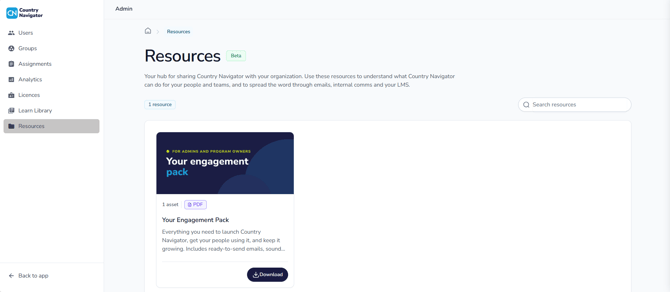
What you’ll find
- Your Engagement Pack: everything you need to launch Country Navigator, get your people using it, and keep it growing, including ready-to-send emails
Click Download to save it to your device.
More resources coming soon
Resources is new and currently in beta, so there’s just one resource for now. We’ll be adding more over time.
Is there a resource you’d find useful? Let your Country Navigator account manager know, or email us at support@countrynavigator.com.