
Sending a request
- Click your user icon in the top right corner, then My Connections
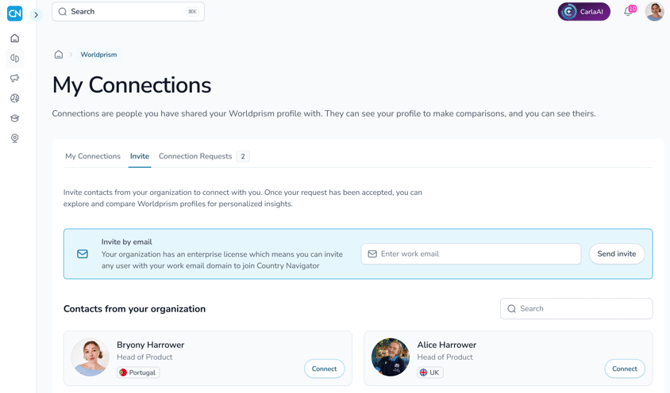
- Open the Invite tab
- Search for your colleague by name, or browse the list
- Click Connect next to their name
The button will change to Pending until they respond. Your colleague will get a notification on the platform and an email to let them know.
Accepting a request
When someone wants to connect with you, you'll see a notification under the bell icon at the top of the page, and receive an email. To respond, go to the My Connection Requests tab on the My Connections page, and accept or decline the request.
Once you're connected
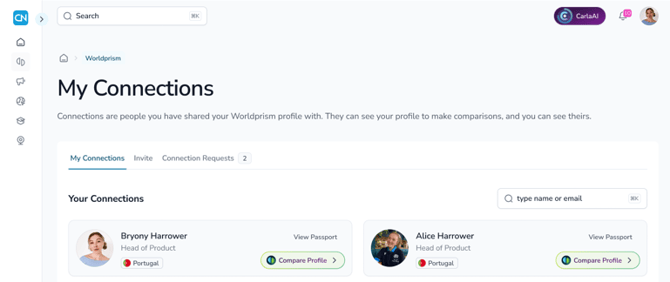
Your colleague will appear on the My Connections tab. Click the three dots next to their name to view their Worldprism™ profile or their Passport, or to remove the connection.
How do I share my profile or view someone else's? →
Any questions? Email us at support@countrynavigator.com.