
Click My Team Coach in the side navigation panel. Any teams you're in are listed under Your Teams. Not in one yet? You can watch a short video, try the Demo Team, or create your own.
How do I create and manage a team? →
Opening your team profile
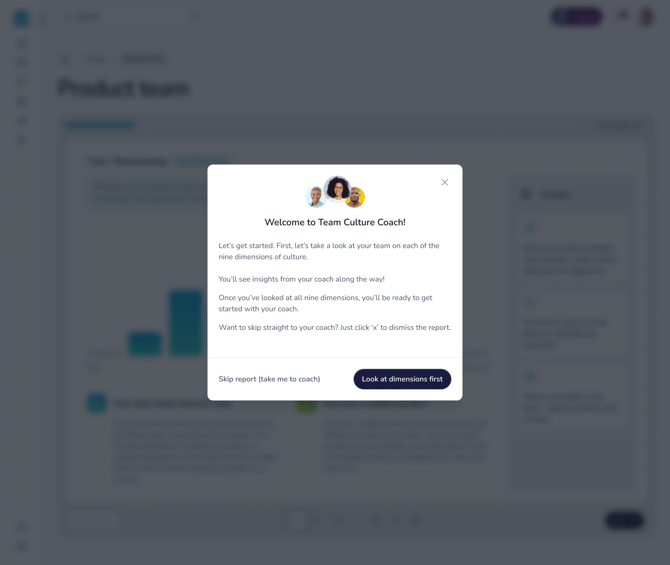
Click View Team Profile. The first time you open it, you can choose:
- Look at dimensions first: a guided tour through each of the 9 dimensions, with what your team's position means in practice and Carla's top 3 coaching insights for your team
- Skip report: go straight to your team profile
We recommend taking the tour, as you won't be able to go back to it later.
The Team Report tab
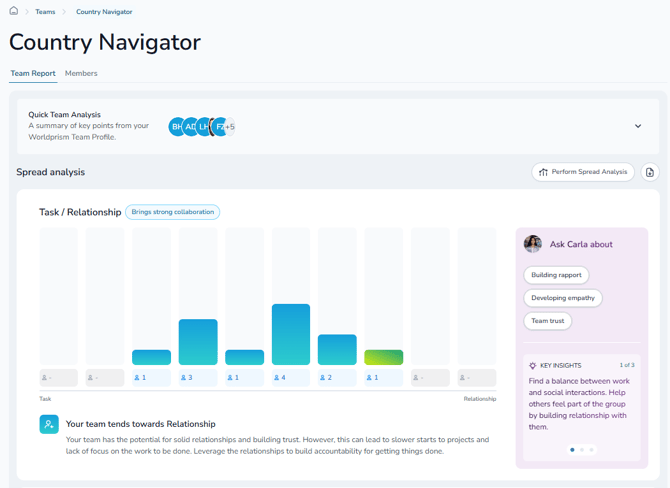
This is where you'll find:
- Your quick team analysis, at the top, for a fast overview of your team's style
- Your team's position on each dimension, alongside your own
- The Perform Spread Analysis button, which reorders the dimensions from where your team varies most to where it's most aligned
- The download button, in the top right corner, to save your Team Culture Report as a PDF
Coaching with Carla
Carla sits on the right of the Team Report tab, with your team profile beside her. Not sure what to ask? Click one of the suggested prompts beside your profile to explore your team in depth. If you notice you lean implicit while most of your team is explicit, for example, that's a great moment to ask her how to bridge the gap. She can also compare two or more of your teams at the same time.
The Members tab
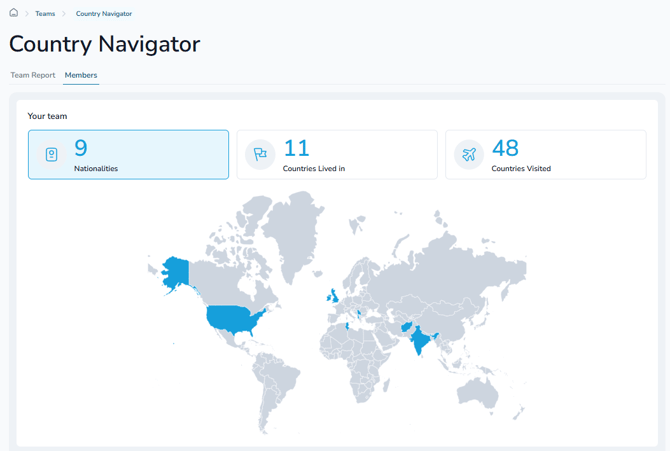
See your team map, showing where your team is from and the countries they've lived in and visited, plus your list of team members. Click Connect next to anyone you'd like to add as a connection.
Any questions? Email us at support@countrynavigator.com.