
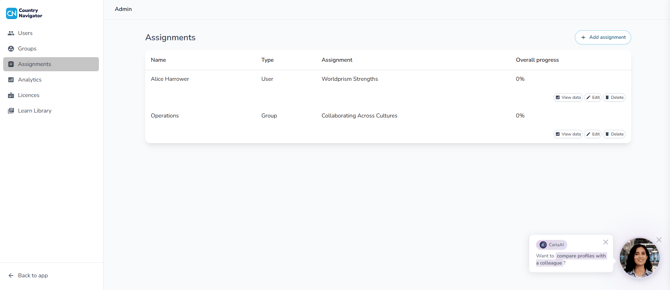
You assign learning paths from the Admin page. Click your user icon in the top right corner, then Admin, and open the Assignments page.
Assigning a learning path
- Click Add assignment
- Choose who it's for: one person, a group, or your whole organization
- Pick the learning path
- Click Update
Where your users will see it
- On the Learn page, in their Assigned tab
- On their Home page, in Your learning program, once they choose it from the Change dropdown
Can't see the learning path you want?
You can only assign learning paths that are switched on in your Learn Library.
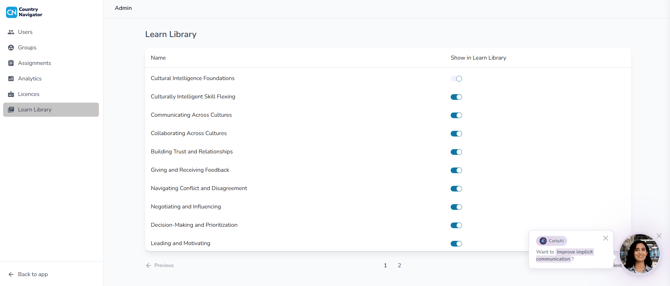
How do I control which learning paths my organization can see? →
After you've assigned it
Your assignment appears on the Assignments page, with its overall progress. From its row, you can:
- View data: see how many people have completed it, plus any feedback they've given
- Edit: make changes to the assignment
- Delete: remove the assignment
How do I track progress on an assigned learning path? →
Any questions? Email us at support@countrynavigator.com.