
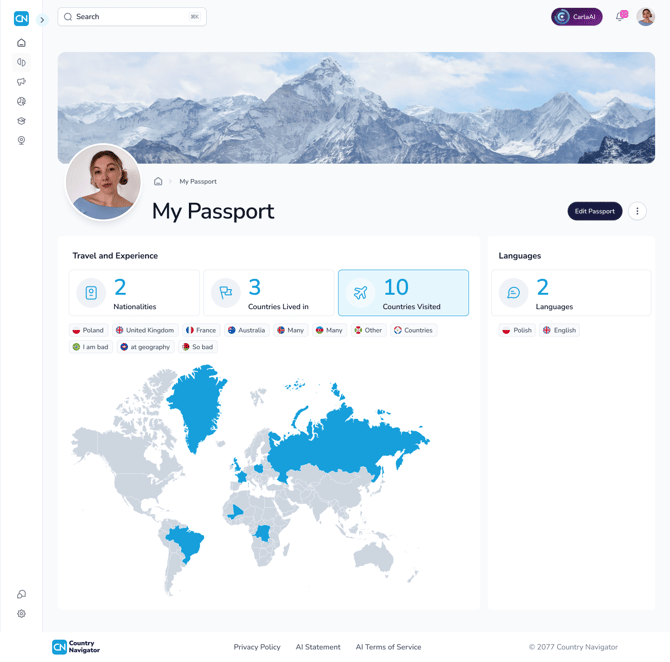
Your Passport is your cultural CV: a record of your cultural background and international experience, all in one place. It helps your colleagues understand where you're coming from, and helps your organization discover the international experience across its teams.
What's in it
- Your cultural background: your nationality (or nationalities) and the languages you speak
- Your travel and experience: the countries you've lived in and the countries you've visited, shown on your own global scratch map
Creating your Passport
- Click your user icon in the top right corner, then My Passport
- Click Create my Passport
- Add your nationality and languages, then the countries you've lived in and visited (these are optional)
- Tick the box to confirm, then click Create my passport
You can update it at any time with Edit Passport, or delete it from the three dot menu.
Who can see it
Your connections can view your Passport. Your countries also contribute to your team's map in My Team Coach, but only as combined team figures, so they can't be traced back to you.
Any questions? Email us at support@countrynavigator.com.