
You share your Worldprism™ profile by connecting with colleagues. Once you're connected, you can both view and compare each other's profiles.
First, connect with your colleague
You'll need to be connected before either of you can see the other's profile, and your colleague will need to accept your request.
How do I connect with a colleague? →
How to compare with a colleague
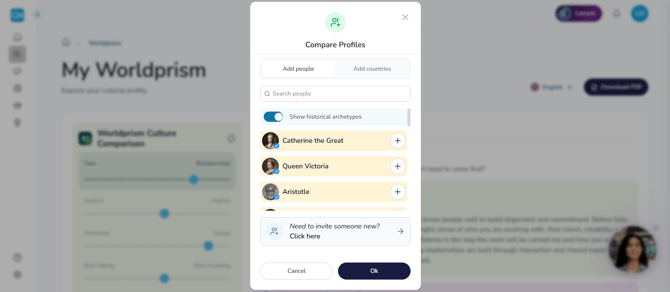
- Go to your profile on the Worldprism™ page
- Click Compare with, below your profile
- Choose the colleague you'd like to compare with
Both profiles show together, with your position on each dimension sitting alongside theirs. The closer your positions are, the more aligned you're likely to be. Click their tab beside yours to read their full profile, and what their position on each dimension means for working together. You can also ask Carla how to make the most of your differences.
You're always in control
Nobody can see your profile without your permission. You can decline any request, and remove a connection at any time from My Connections.
Can't find a colleague?
Who you can connect with depends on how your organization has set up Country Navigator.
Why can't I find a colleague? →
No connections yet?
You can still try comparing your profile with a historical figure, to see how comparisons work.
Any questions? Email us at support@countrynavigator.com.